 Site
The Right Way to Set Up WooCommerce Cart Recovery: A Practical Guide
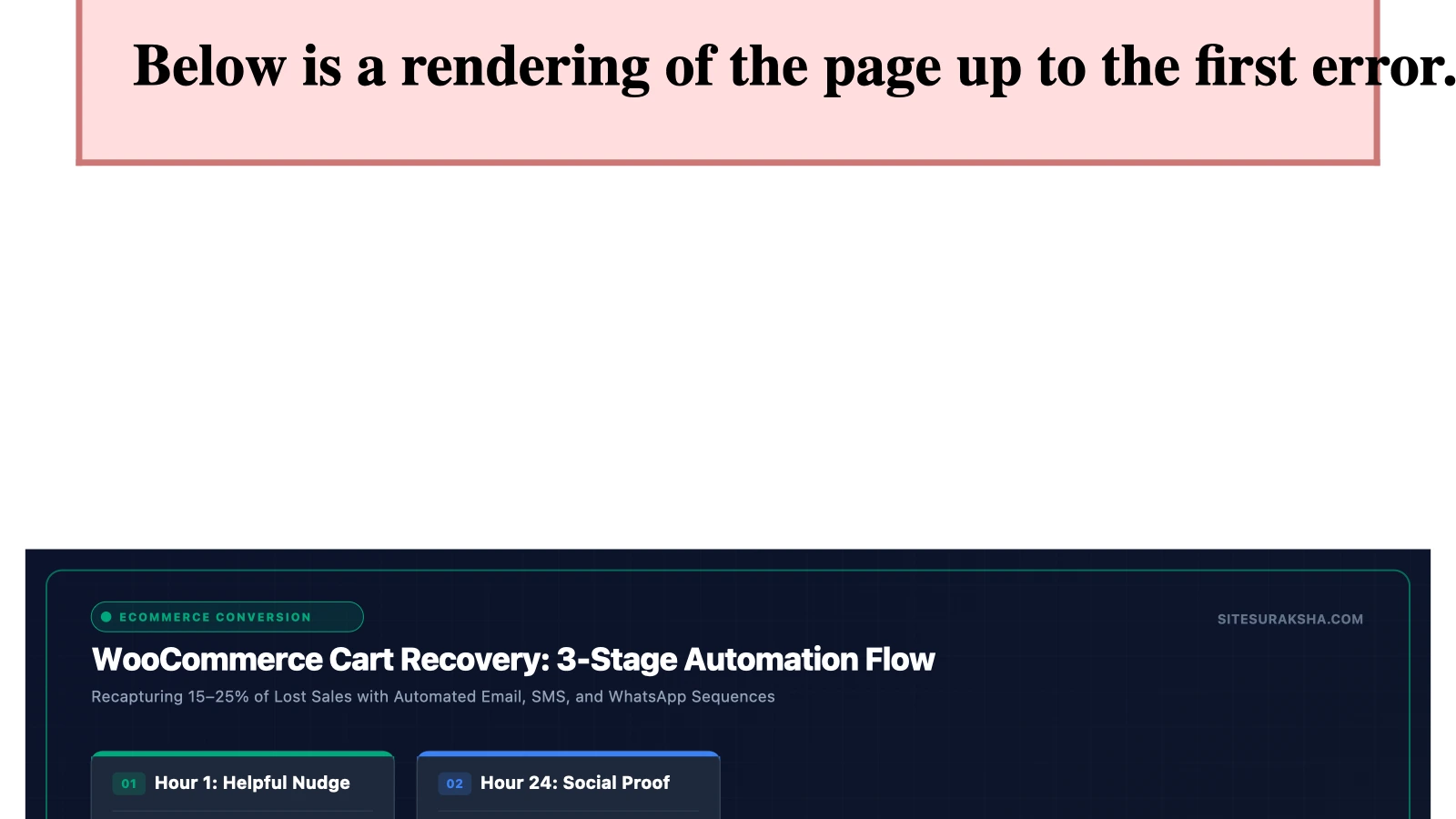
Problem Statement & Impact: The Technical Architecture of Cart Abandonment
WooCommerce store owners face a persistent conversion challenge: industry benchmarks consistently demonstrate that approximately 70% of online shopping carts are abandoned prior to final payment completion. In a high-throughput e-commerce environment running on WordPress, recovering this lost revenue requires more than simply dispatching automated email notifications. A poorly engineered cart recovery setup introduces severe technical friction, database bloat, performance degradation, and critical data privacy liabilities.
From an architectural standpoint, the standard WooCommerce checkout lifecycle relies on persistent session management and database insertions. When a user adds items to a cart, WooCommerce stores this state either in the WordPress user session (via custom database tables or the wp_sessions transient structure) or within client-side cookies and server-side transients. Unoptimized cart recovery implementations add continuous background tasks, scheduled cron jobs, and heavy SQL queries that monitor session alterations, guest identifier creation, and form field changes.
The business and security consequences of an unoptimized recovery system include:
Chat with an engineer on WhatsApp within 15 minutes.
- Database Bloat and Query Latency: Unrecovered transient data and poorly indexed custom tracking tables accumulate rapidly. This causes massive growth in the
wp_optionsor custom metadata tables, leading to unindexed queries that spike MySQL CPU utilization during high-traffic sales events. - Memory Exhaustion and PHP Timeouts: Inefficient background processors that attempt to batch-process thousands of abandoned carts via native WordPress WP-Cron often trigger PHP memory limit exhaustion errors (
Allowed memory size exhausted). - Compliance and Privacy Violations: Capturing email addresses dynamically via JavaScript listeners on unsubmitted checkout forms without explicit, pre-consent mechanisms violates global data privacy regulations such as the General Data Protection Regulation (GDPR) and the California Consumer Privacy Act (CCPA). Storing unhashed personally identifiable information (PII) in transient memory without an automated retention and purging policy creates severe liability vectors.
- Email Reputation Degradation: Routing recovery triggers through the local server’s default mail transfer agent (MTA) without transactional email routing infrastructure results in low inbox placement rates, blacklisting of the domain, and failure to pass stringent sender policy frameworks.
Root Cause Analysis & Architecture: Why Native Recovery Fails
To implement an effective recovery pipeline, administrators must understand the structural limitations of native WordPress and WooCommerce session mechanics. By default, WooCommerce does not track abandoned carts natively out of the box with granular lifecycle telemetry. It relies on the user remaining logged in or holding a persistent browser cookie linked to a PHP session handler. When a guest user drops off, their session eventually expires, or the session data is swept away by garbage collection routines.
Third-party recovery solutions attempt to bridge this gap by injecting frontend JavaScript event listeners into the checkout fields (such as input or blur events on the billing email input) and transmitting these values asynchronously via AJAX to custom REST API endpoints. The server then writes an entry to a database tracking table. If not designed with strict execution locks and indexing, these AJAX calls can overwhelm the PHP-FPM worker pool, especially when compounded by page caching layers (such as Redis or Varnish) that bypass dynamic execution.
Furthermore, race conditions often occur when database transactions overlap. If a user returns to complete their purchase while a background script is processing their session state for an abandoned cart notification, database deadlocks can occur on the wp_wc_order_stats or custom cart logs tables, locking out legitimate checkout requests and presenting fatal errors to paying customers.
Step-by-Step Implementation & Remediation Guide
Securing and optimizing a WooCommerce cart recovery workflow requires a systematic, multi-layered implementation plan. This guide outlines the precise configuration steps, database optimizations, and code snippets needed to establish a performant recovery engine.
Step 1: Database Indexing and Optimization for Cart Logs
Before installing any recovery plugin, verify that your database can handle transient logging without degrading query performance. If your recovery plugin creates a custom table (e.g., wp_ac_abandoned_cart_history), you must ensure appropriate indexes exist on timestamps and email identifiers.
Run the following SQL commands via your database management console (such as phpMyAdmin or WP-CLI) to optimize table structures and prevent table lock contention:
-- Ensure proper indexing on custom cart tracking tables
ALTER TABLE wp_ac_abandoned_cart_history
ADD INDEX idx_abandoned_status (cart_ignored),
ADD INDEX idx_time_stamps (abandoned_cart_time);

-- Optimize the table to reclaim fragmented space
OPTIMIZE TABLE wp_ac_abandoned_cart_history;
Step 2: Configuring Asynchronous Guest Capture via Secure AJAX
To capture guest emails without slowing down the checkout DOM render speed, utilize a lightweight, non-blocking JavaScript listener that defers execution until the input field loses focus (blur) and passes validation. Ensure that the endpoint sanitizes and validates all incoming data to prevent SQL injection and cross-site scripting (XSS).
Add the following secure event listener script to your theme’s JavaScript file or enqueue it properly via functions.php:
# Verify your active theme or custom plugin asset directory
cd wp-content/plugins/site-security-core/assets/js/
touch cart-capture.js
Populate cart-capture.js with sanitized AJAX calls:
document.addEventListener('DOMContentLoaded', function() {
    const emailField = document.getElementById('billing_email');
    if (!emailField) return;

    let timeout = null;

    emailField.addEventListener('blur', function() {
        const email = emailField.value;
        if (!email || !email.includes('@')) return;

        clearTimeout(timeout);
        timeout = setTimeout(function() {
            fetch(wc_cart_params.ajax_url, {
                method: 'POST',
                headers: {
                    'Content-Type': 'application/x-www-form-urlencoded; charset=UTF-8'
                },
                body: new URLSearchParams({
                    action: 'secure_capture_abandoned_cart',
                    security: wc_cart_params.nonce,
                    billing_email: email
                })
            })
            .then(response => response.json())
            .then(data => {
                if (!data.success) {
                    console.warn('Cart capture deferred or rejected.');
                }
            })
            .catch(error => {
                console.error('Error updating cart capture state:', error);
            });
        }, 800);
    });
});
Step 3: Handling Server-Side AJAX Processing and Nonce Verification
In your custom plugin or functions.php file, register the backend handler with strict nonce verification and data sanitization:
add_action('wp_ajax_secure_capture_abandoned_cart', 'handle_secure_cart_capture');
add_action('wp_ajax_nopriv_secure_capture_abandoned_cart', 'handle_secure_cart_capture');

function handle_secure_cart_capture() {
    // Verify nonce for CSRF protection
    if (!isset($_POST['security']) || !wp_verify_nonce($_POST['security'], 'wc_cart_nonce')) {
        wp_send_json_error(array('message' => 'Security check failed'));
    }

    if (empty($_POST['billing_email'])) {
        wp_send_json_error(array('message' => 'Email required'));
    }

    $email = sanitize_email(wp_unslash($_POST['billing_email']));
    if (!is_email($email)) {
        wp_send_json_error(array('message' => 'Invalid email format'));
    }

    // Store transient securely with a 48-hour expiration
    $session_id = WC()->session ? WC()->session->get_customer_unique_id() : '';
    if ($session_id) {
        set_transient('sec_cart_' . md5($session_id), $email, 48 * HOUR_IN_SECONDS);
        wp_send_json_success(array('message' => 'Cart state recorded'));
    }

    wp_send_json_error(array('message' => 'Session unavailable'));
}
Step 4: Offloading Email Dispatch via Dedicated SMTP and API Integration
Never rely on local Linux sendmail or standard wp_mail() functions piped through your hosting server’s IP address. This guarantees poor inbox placement and potential IP blacklisting if a spike of recovery emails triggers spam filters.
Configure a dedicated external transactional email provider (such as SendGrid, Amazon SES, or Postmark) using an SMTP plugin or programmatic API connection. Ensure your DNS records are fully configured with strict authentication protocols:
- SPF (Sender Policy Framework): Publish a TXT record authorizing your SMTP provider’s IP range to send mail on behalf of your domain.
- DKIM (DomainKeys Identified Mail): Generate 2048-bit private/public key pairs through your provider and add the required CNAME or TXT records to your DNS zone.
- DMARC (Domain-based Message Authentication, Reporting, and Conformance): Set up a DMARC policy record (e.g.,
v=DMARC1; p=reject; rua=mailto:[email protected]) to enforce alignment and block spoofing attempts.
Production Hardening & Edge Cases
Deploying cart recovery in a high-traffic production environment requires accounting for aggressive page caching, object caching conflicts, and background queue management.
1. Caching Conflicts and Dynamic Bypass
Full-page caching systems (such as Nginx FastCGI cache, Varnish, or plugin-based static page caches) often cache the checkout page for unauthenticated visitors. If the page is cached, JavaScript nonces and cart fragments can become stale or throw verification errors (-1 or nonce verification failed).
Ensure that your server configuration explicitly bypasses page caching for specific URI patterns:
# Nginx configuration snippet to bypass cache for WooCommerce endpoints
location /checkout/ {
    try_files $uri $uri/ /index.php?$args;
    add_header X-Cache-Bypass "True";
    # Bypass FastCGI cache
    fastcgi_no_cache 1;
    fastcgi_cache_bypass 1;
}

location /cart/ {
    try_files $uri $uri/ /index.php?$args;
    add_header X-Cache-Bypass "True";
    fastcgi_no_cache 1;
    fastcgi_cache_bypass 1;
}
2. Replacing WP-Cron with System Cron
Relying on default WordPress page-load triggers for WP-Cron results in erratic execution of automated cart recovery sequences. If traffic drops, emails are delayed. Replace default cron triggers with a real Linux crontab execution.
Disable default wp-cron execution in wp-config.php:
define('DISABLE_WP_CRON', true);
Add the following system cron job via SSH (crontab -e) to execute every 5 minutes:
*/5 * * * * /usr/local/bin/php /var/www/html/wp-cron.php --doing-wp-cron > /dev/null 2>&1
3. Automated Data Purging and Privacy Compliance
To comply with data privacy regulations (GDPR/CCPA), abandoned cart logs containing PII must not be retained indefinitely. Configure a daily scheduled task to scrub unrecovered cart records older than 30 days.
add_action('sitesuraksha_daily_cart_cleanup', 'purge_expired_abandoned_carts');

if (!wp_next_scheduled('sitesuraksha_daily_cart_cleanup')) {
    wp_schedule_event(time(), 'daily', 'sitesuraksha_daily_cart_cleanup');
}

function purge_expired_abandoned_carts() {
    global $wpdb;
    $table_name = $wpdb->prefix . 'ac_abandoned_cart_history';

    // Check if table exists before running query
    if ($wpdb->get_var("SHOW TABLES LIKE '$table_name'") === $table_name) {
        $expiration_limit = date('Y-m-d H:i:s', strtotime('-30 days'));
        $wpdb->query(
            $wpdb->prepare(
                "DELETE FROM {$table_name} WHERE cart_ignored = '1' AND abandoned_cart_time < %s",
                $expiration_limit
            )
        );
    }
}
Diagnostic Verification & Checklist
Post-implementation validation is critical to ensure that your cart recovery setup does not impact server performance, security posture, or email deliverability. Use the following verification matrix to audit your production environment.
| Verification Check | Method / Tool | Expected Result / Target Metric |
|---|---|---|
| Database Index Health | SHOW INDEX FROM wp_ac_abandoned_cart_history; |
Indexes exist on timestamp and status columns to avoid full table scans. |
| AJAX Nonce Validation | Browser Developer Tools (Network Tab) | Payload returns valid JSON success code; no 403 Forbidden or nonce failures. |
| Cache Bypass Verification | curl -I https://yourdomain.com/checkout/ |
Response headers confirm cache bypass (X-Cache-Bypass: True or HIT/MISS disabled). |
| SMTP Relay Authentication | Mail-tester.com or DNS lookup tools | SPF, DKIM, and DMARC checks return 100% pass status without alignment errors. |
| Background Cron Execution | CLI command: wp cron event list |
No overdue cron events; custom cart cleanup and email triggers execute on schedule. |
| Error Log Monitoring | tail -n 100 /var/log/php-fpm/error.log |
Zero PHP memory exhaustion errors or database deadlock warnings during checkout simulation. |
Maintain Store Performance, Security, and Uptime
Configuring database tables, asynchronous AJAX handlers, secure SMTP relays, and automated privacy compliance requires continuous engineering oversight. At SiteSuraksha, we manage your WordPress infrastructure security, performance tuning, database optimization, and automated backups so your e-commerce operations run without disruption.
Is Your Website Fast & Secure?
Run an instant scan for security vulnerabilities, bloated plugins, and TTFB latency.
Need Help Securing or Speeding Up Your Site?
Get 24/7 proactive security WAF, daily cloud backups, and sub-second speed optimization from ₹3,470/mo.