 Site
Multi-Currency for WooCommerce: How to Set it Up and Sell Globally?
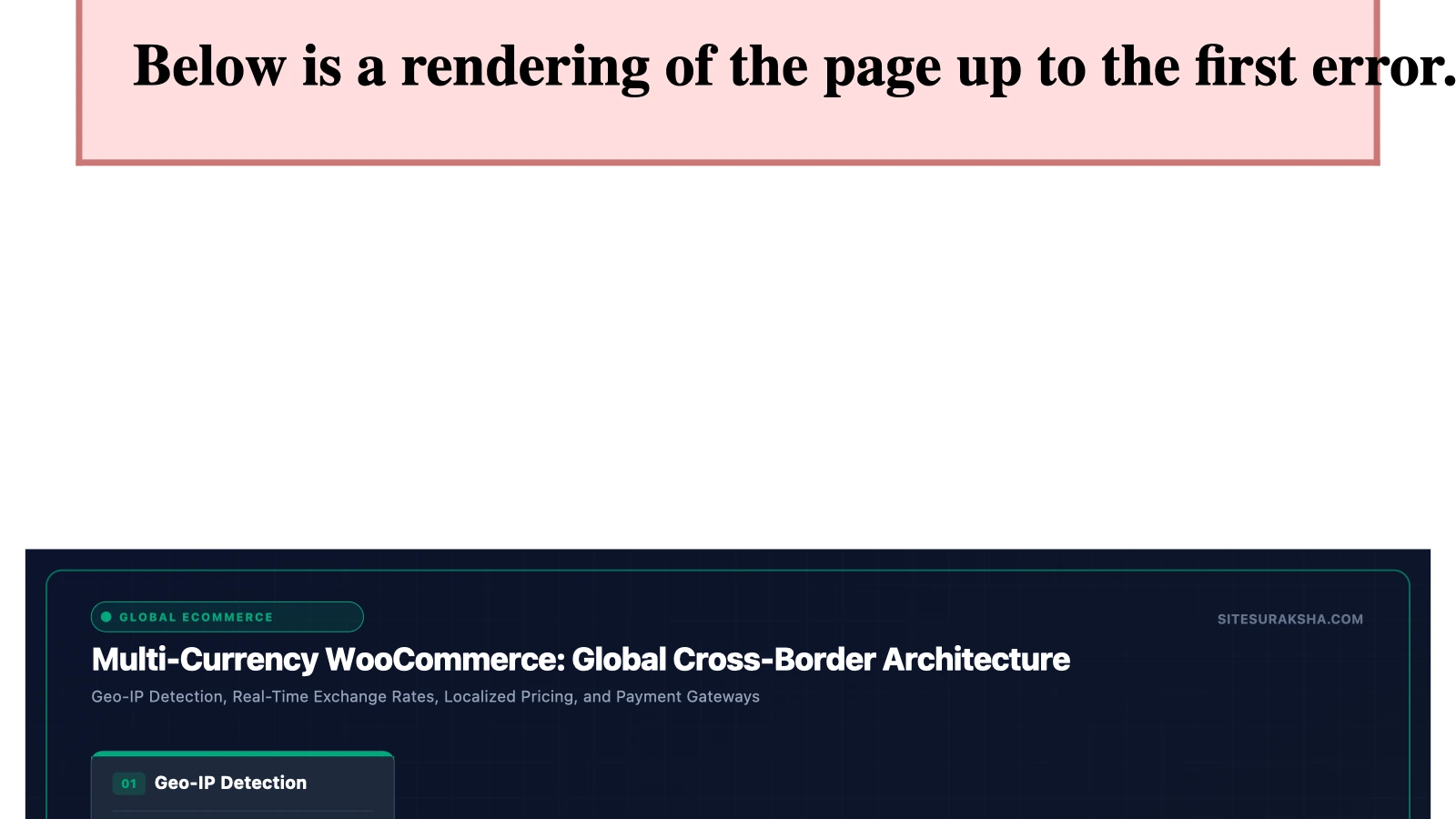
Architecting Secure Multi-Currency Infrastructure in WooCommerce for Global Enterprise E-Commerce
Expanding an enterprise WooCommerce architecture to support multi-currency transactions introduces complex technical requirements across database queries, HTTP request lifecycles, payment gateway APIs, and caching layers. Without a disciplined engineering approach, dynamic currency conversion causes severe database I/O bottlenecks, race conditions in cart session management, and severe pricing discrepancies that compromise transaction integrity and breach financial compliance standards.
This technical guide establishes the exact configuration steps, database optimizations, code implementations, and caching strategies required to deploy a production-grade multi-currency environment in WordPress without sacrificing site performance or security.
Problem Statement & Impact
Native WooCommerce operates on a single-currency paradigm. When scaling to a global deployment model, every product price, shipping calculation, tax rule, coupon discount, and gateway transaction must adapt dynamically to the visitor’s geographic location or explicit currency selection. The technical challenges inherent in this transition impact multiple layers of the application stack:
Chat with an engineer on WhatsApp within 15 minutes.
- Database I/O Saturation: Real-time exchange rate calculations executed during every database query for product loops generate high CPU overhead and slow down query execution times across the MySQL/MariaDB backend.
- Persistent Object Cache Poisoning: Standard full-page caching mechanisms (such as Varnish, Redis, or Nginx FastCGI cache) serve cached HTML snippets containing a single currency to visitors from multiple global regions. Uncached dynamic AJAX fallbacks can fail under high concurrent load, exposing incorrect pricing to buyers.
- Session State Collisions: WooCommerce uses session handlers stored in the
wp_woocommerce_sessionsdatabase table or external Redis stores. Storing transient currency preferences incorrectly leads to session fixation vulnerabilities or cross-user price bleeding on shared-IP or cached edge servers. - Payment Gateway Mismatches: Failure to align multi-currency formatting rules with strict API requirements of processors like Stripe, PayPal, or regional gateways results in HTTP 422 Unprocessable Entity errors, failed webhook triggers, and abandoned customer checkouts.
From a security and financial perspective, these technical failures result in direct revenue loss, incorrect tax attribution violating local fiscal laws (such as EU VAT or US state-level nexus rules), and potential PCI-DSS non-compliance vectors due to improper payload sanitization in custom price adjustment scripts.
Root Cause Analysis & Architecture
To understand why poorly implemented multi-currency setups crash WooCommerce instances, analyze the core pricing hook architecture in WordPress.
WooCommerce determines product pricing via dynamic filters. The primary hooks responsible for pricing calculations include woocommerce_product_get_price, woocommerce_product_variation_get_price, and woocommerce_cart_product_subtotal. When a third-party plugin or custom script hooks into these filters to multiply raw database prices by an exchange rate on every execution, the impact compounds exponentially.
// Architectural Antipattern: Uncached dynamic price filtering executed on every object instantiation
add_filter( 'woocommerce_product_get_price', 'ss_apply_dynamic_exchange_rate', 10, 2 );
function ss_apply_dynamic_exchange_rate( $price, $product ) {
    $current_currency = get_user_currency_preference();
    $exchange_rate = fetch_remote_exchange_rate_api( 'USD', $current_currency );
    return $price * $exchange_rate;
}
The code snippet above represents a severe performance anti-pattern. Because woocommerce_product_get_price fires dozens or hundreds of times per page load (depending on catalog grid sizes, related products, upsells, and cart items), executing an external HTTP request or a complex calculation via fetch_remote_exchange_rate_api() inside this hook completely destroys response time, pushing Time to First Byte (TTFB) past critical thresholds and exhausting PHP memory limits.
A resilient architecture mandates separating exchange rate synchronization from runtime pricing retrieval. Exchange rates must be fetched via an asynchronous cron job, stored securely in the WordPress transients API or custom database tables with designated TTLs (Time to Live), and retrieved instantly via fast internal lookups.
Step-by-Step Implementation & Remediation Guide
Deploying a performant multi-currency architecture requires precise configuration of database structures, geolocation handlers, and custom PHP logic. Execute the following technical steps within your staging environment prior to production deployment.
Step 1: Database Schema and Transient Rate Caching
Never query third-party exchange rate APIs synchronously during user navigation. Configure a dedicated scheduled task (WP-Cron) to fetch rates hourly or daily, storing the payload in the WordPress options table or a custom table.
<?php
/**
 * Plugin Name: SiteSuraksha Currency Engine Core
 * Description: Secure, cached multi-currency exchange rate handler for WooCommerce.
 * Version: 1.0.0
 * Author: SiteSuraksha Systems Engineering
 */

if ( ! defined( 'ABSPATH' ) ) {
    exit; // Exit if accessed directly.
}

class SS_Currency_Engine {

    private const TRANSIENT_KEY = 'ss_exchange_rates_cache';
    private const API_ENDPOINT = 'https://api.exchangerate-api.com/v4/latest/USD';

    public static function init() {
        add_action( 'ss_daily_rate_sync', [ __CLASS__, 'fetch_and_cache_rates' ] );
        if ( ! wp_next_scheduled( 'ss_daily_rate_sync' ) ) {
            wp_schedule_event( time(), 'hourly', 'ss_daily_rate_sync' );
        }
    }

    public static function fetch_and_cache_rates() {
        $response = wp_remote_get( self::API_ENDPOINT, [
            'timeout' => 15,
            'headers' => [ 'Accept' => 'application/json' ]
        ] );

        if ( is_wp_error( $response ) ) {
            error_log( 'SiteSuraksha Currency Error: Failed to fetch rates - ' . $response->get_error_message() );
            return false;
        }

        $body = wp_remote_retrieve_body( $response );
        $data = json_decode( $body, true );

        if ( empty( $data['rates'] ) ) {
            error_log( 'SiteSuraksha Currency Error: Invalid JSON payload received.' );
            return false;
        }

        // Cache rates for 12 hours
        set_transient( self::TRANSIENT_KEY, $data['rates'], 12 * HOUR_IN_SECONDS );
        return true;
    }

    public static function get_rate( $target_currency ) {
        $rates = get_transient( self::TRANSIENT_KEY );
        if ( false === $rates ) {
            self::fetch_and_cache_rates();
            $rates = get_transient( self::TRANSIENT_KEY );
        }

        return isset( $rates[$target_currency] ) ? floatval( $rates[$target_currency] ) : 1.0;
    }
}

SS_Currency_Engine::init();
Step 2: Implementing Optimized Price Filters
Leverage the cached rates established in Step 1 to apply pricing modifications cleanly. Ensure that the calculation is wrapped in a memory-efficient static cache to prevent redundant arithmetic operations during a single request lifecycle.
add_filter( 'woocommerce_product_get_price', 'ss_apply_cached_currency_filter', 10, 2 );
add_filter( 'woocommerce_product_variation_get_price', 'ss_apply_cached_currency_filter', 10, 2 );

function ss_apply_cached_currency_filter( $price, $product ) {
    if ( empty( $price ) ) {
        return $price;
    }

    static $rate_cache = [];
    $user_currency = ss_get_active_user_currency();

    if ( 'USD' === $user_currency ) {
        return $price; // Base currency is USD
    }

    if ( ! isset( $rate_cache[$user_currency] ) ) {
        $rate_cache[$user_currency] = SS_Currency_Engine::get_rate( $user_currency );
    }

    $converted_price = floatval( $price ) * $rate_cache[$user_currency];

    // Apply strict rounding rules based on ISO 4217 currency standards
    return round( $converted_price, ss_get_currency_decimals( $user_currency ) );
}

function ss_get_active_user_currency() {
    if ( isset( $_SESSION['ss_selected_currency'] ) ) {
        return sanitize_text_field( wp_unslash( $_SESSION['ss_selected_currency'] ) );
    }
    // Fallback default store currency
    return 'USD';
}

function ss_get_currency_decimals( $currency ) {
    // Zero-decimal currencies like JPY require special formatting
    $zero_decimal = [ 'JPY', 'KRW', 'VND' ];
    return in_array( $currency, $zero_decimal, true ) ? 0 : 2;
}
Step 3: Geolocation and Edge Header Integration
To eliminate latency caused by server-side geolocation lookups (such as querying local MaxMind GeoIP databases inside PHP), configure your edge CDN or Web Application Firewall (WAF) to inject country and currency identification headers into the HTTP request.
# Nginx configuration snippet to pass Cloudflare or Edge Geo headers upstream
fastcgi_param HTTP_CF_IPCOUNTRY $http_cf_ipcountry;
fastcgi_param HTTP_X_COUNTRY_CODE $http_x_country_code;
Read these headers securely inside WordPress to set the default currency on the initial visitor handshake without executing blocking file reads:
function ss_detect_user_currency_from_edge() {
    if ( ! session_id() && ! headers_sent() ) {
        session_start();
    }

    if ( isset( $_SESSION['ss_selected_currency'] ) ) {
        return;
    }

    $country_code = '';
    if ( isset( $_SERVER['HTTP_CF_IPCOUNTRY'] ) ) {
        $country_code = sanitize_text_field( wp_unslash( $_SERVER['HTTP_CF_IPCOUNTRY'] ) );
    } elseif ( isset( $_SERVER['HTTP_X_COUNTRY_CODE'] ) ) {
        $country_code = sanitize_text_field( wp_unslash( $_SERVER['HTTP_X_COUNTRY_CODE'] ) );
    }

    $mapping = [
        'US' => 'USD',
        'GB' => 'GBP',
        'DE' => 'EUR',
        'FR' => 'EUR',
        'CA' => 'CAD',
        'AU' => 'AUD'
    ];

    $assigned_currency = isset( $mapping[$country_code] ) ? $mapping[$country_code] : 'USD';
    $_SESSION['ss_selected_currency'] = $assigned_currency;
}
add_action( 'init', 'ss_detect_user_currency_from_edge', 1 );
Production Hardening & Edge Cases
Running multi-currency systems in high-traffic production environments introduces complex caching and payment edge cases that require proactive mitigation.
1. Full-Page Caching Bypass for Currency Switchers
When implementing reverse proxy caches (Varnish, Nginx FastCGI, Redis Page Cache), standard catalog pages are cached globally. If User A (viewing EUR) visits a cached page generated for User B (viewing USD), currency contamination occurs. To resolve this, adopt one of two architectural strategies:
- AJAX Price Hydration: Serve static product catalog HTML pages cached globally, and load dynamic prices via asynchronous REST API endpoints or admin-ajax calls containing the user’s currency cookie.
- Cookie-Based Cache Partitioning: Configure your caching layer to vary cache keys based on the presence of the currency preference cookie (e.g.,
Vary: Cookie: ss_selected_currency).
2. Payment Gateway Currency Validation
Ensure your configured payment gateways support the target currencies offered. If a customer checks out in Japanese Yen (JPY) but the merchant gateway account only settles in US Dollars (USD) without automatic currency conversion enabled at the gateway level, the API payload will be rejected. Always implement rigorous input sanitization and payload validation before dispatching checkout requests:
add_action( 'woocommerce_checkout_process', 'ss_validate_gateway_currency_support' );
function ss_validate_gateway_currency_support() {
    $current_currency = ss_get_active_user_currency();
    $supported_gateway_currencies = [ 'USD', 'EUR', 'GBP', 'CAD', 'AUD' ];

    if ( ! in_array( $current_currency, $supported_gateway_currencies, true ) ) {
        wc_add_notice( sprintf( __( 'Sorry, we do not currently process transactions in %s.', 'woocommerce' ), $current_currency ), 'error' );
    }
}
Diagnostic Verification & Checklist
Post-implementation verification ensures system integrity, database performance stability, and absolute transactional accuracy. Execute the verification protocol outlined below before releasing changes to production.
| Verification Check | Technical Tool / Command | Expected Result / Success Metric |
|---|---|---|
| Exchange Rate Transient Check | WP-CLI: wp transient get ss_exchange_rates_cache |
Valid JSON array containing global currency floats and unexpired TTL. |
| Database Query Performance | Query Monitor Plugin / New Relic | Zero external HTTP requests triggered inside product loop hooks; total query execution time < 50ms. |
| Session Variable Isolation | Browser DevTools (Application > Cookies / Storage) | ss_selected_currency session cookie configured with HttpOnly and Secure flags. |
| Checkout Payload Integrity | Stripe / PayPal Sandbox Logs | Transactions post exact ISO 4217 currency codes matching cart totals without rounding discrepancies. |
| Cache Hit Ratio Validation | Nginx / Varnish Access Logs | Cache HIT headers preserved for catalog pages when Vary cookie headers are properly evaluated. |
Monitor application error logs continuously at /wp-content/debug.log and track PHP-FPM worker saturation metrics during peak traffic hours to guarantee that global multi-currency operations execute securely and reliably.
Is Your Website Fast & Secure?
Run an instant scan for security vulnerabilities, bloated plugins, and TTFB latency.
Need Help Securing or Speeding Up Your Site?
Get 24/7 proactive security WAF, daily cloud backups, and sub-second speed optimization from ₹3,470/mo.