 Site
How to Scale a WooCommerce Store: Steps, Tools, and What to Do First
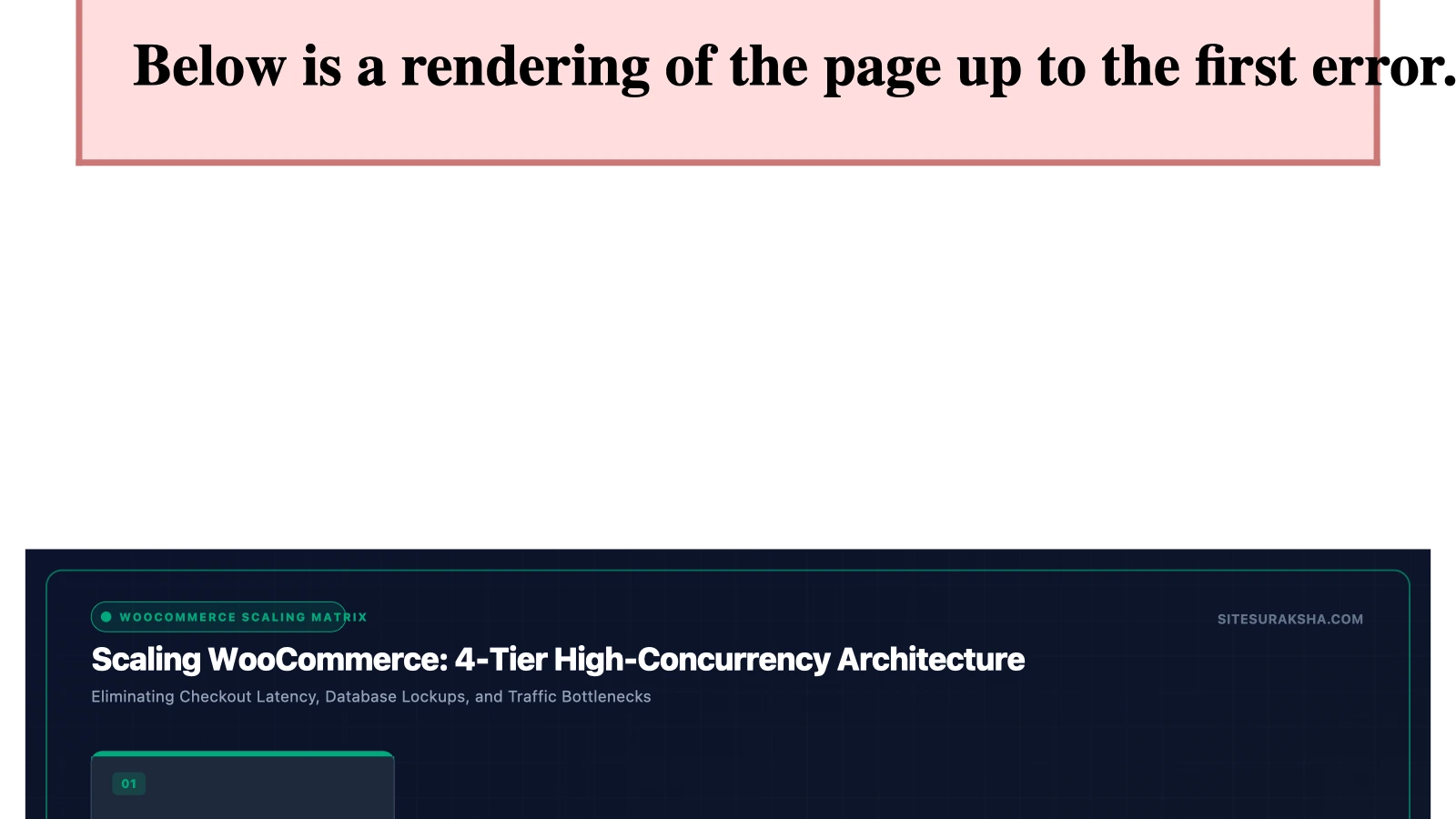
How to Scale a WooCommerce Store: Essential Steps, Tools, and What to Do First
1. Problem Statement & Impact
Scaling a high-volume WooCommerce store exposes underlying architectural deficiencies in database management, PHP execution limits, server resource allocation, and application-layer security. As concurrent user sessions scale, unoptimized database queries, bloated session storage, and unmitigated volumetric traffic spikes quickly saturate available compute capacity. This saturation manifests as extreme TTFB (Time to First Byte) latency, dropped database connections, and complete checkout failure.
From an infrastructural and security perspective, high-traffic eCommerce platforms are primary targets for credential stuffing attacks, automated inventory scraping, distributed denial-of-service (DDoS) vectors, and remote code execution (RCE) attempts via vulnerable plugins. When a WooCommerce store experiences performance degradation or a security breach during peak sales events, the financial and operational consequences are severe:
- Cart Abandonment & Revenue Loss: A mere one-second delay in page load time reduces customer conversions by up to 7%, while checkout page latency directly correlates with permanent cart abandonment.
- Database Locking: Heavy concurrent read/write operations on the
wp_postmetaandwp_usermetatables trigger database table locks, causing HTTP 500 internal server errors across the entire application domain. - Reputational Damage: Data breaches resulting from unpatched vulnerabilities or weak administrative access expose personally identifiable information (PII) and payment card industry (PCI-DSS) compliance violations, leading to severe regulatory fines and catastrophic loss of customer trust.
Addressing these challenges requires a systematic transition from standard WordPress hosting setups to an engineered, scalable architecture designed for high concurrency and robust security isolation.
Chat with an engineer on WhatsApp within 15 minutes.
2. Root Cause Analysis & Architecture
The standard WordPress request lifecycle is inherently resource-intensive for dynamic eCommerce operations. Every un-cached request to a WooCommerce endpoint triggers a cascade of PHP execution threads, dynamic database queries, and plugin hook evaluations. Understanding the exact mechanical bottlenecks is vital for effective remediation.
PHP Memory Exhaustion and Concurrency Limits: WooCommerce performs complex calculations during cart and checkout processing, including tax evaluations, shipping rate calculations, and inventory checks. These operations consume substantial PHP memory. When PHP-FPM (FastCGI Process Manager) max child processes or memory limits (memory_limit) are reached, the web server drops incoming connections or serves HTTP 503 errors.
Database Bloat and Inefficient Indexing: As an order volume scales, the WordPress database expands rapidly. Native WooCommerce data structures rely heavily on EAV (Entity-Attribute-Value) models stored within the wp_posts and wp_postmeta tables. Without proper composite indexing and regular data purging, queries targeting order meta or customer metadata trigger full table scans, resulting in catastrophic database CPU spikes.
The Session and Transients Bottleneck: By default, WooCommerce stores customer session data in the wp_woocommerce_sessions custom table using database-backed cookies. During traffic surges, concurrent writes to this table create row-level locking. Furthermore, expired transients often accumulate in the wp_options table, bloating the autoloaded options cache and forcing MySQL to parse megabytes of redundant data on every single HTTP request.
Vulnerability Vector Exploitation: Scaling expands the attack surface. Automated vulnerability scanners continuously probe WooCommerce installations for exposed REST API endpoints, unauthenticated file uploads in outdated plugins, and weak administrative passwords susceptible to brute-force attacks via xmlrpc.php or wp-login.php.
3. Step-by-Step Implementation & Remediation Guide
Executing a robust technical scaling plan requires deep infrastructural adjustments across the LEMP/LAMP stack, database configuration, caching layers, and security hardening protocols.
Step 1: Upgrade and Configure PHP-FPM and Nginx/Apache
Transition from legacy Apache/mod_php stacks to an optimized Nginx and PHP-FPM architecture. Configure your PHP-FPM pool parameters in /etc/php/8.2/fpm/pool.d/www.conf to handle high concurrency without exhausting system RAM.
[www]
user = www-data
group = www-data
listen = /run/php/php8.2-fpm.sock
listen.owner = www-data
listen.group = www-data
pm = dynamic
pm.max_children = 50
pm.start_servers = 10
pm.min_spare_servers = 5
pm.max_spare_servers = 20
pm.max_requests = 500
php_admin_value[memory_limit] = 512M
php_admin_value[max_execution_time] = 300
Update your Nginx server block to handle fastcgi caching properly and bypass caching for dynamic cart and checkout requests:
server {
    listen 443 ssl http2;
    server_name example.com;
    root /var/www/html;
    index index.php;

    ssl_certificate /etc/letsencrypt/live/example.com/fullchain.pem;
    ssl_certificate_key /etc/letsencrypt/live/example.com/privkey.pem;

    # Bypass cache for WooCommerce dynamic pages
    set $skip_cache 0;
    if ($request_uri ~* "/store/|/cart/|/checkout/|/my-account/") {
        set $skip_cache 1;
    }
    if ($arg_add-to-cart != "") {
        set $skip_cache 1;
    }

    location / {
        try_files $uri $uri/ /index.php?$args;
    }

    location ~ \.php$ {
        include snippets/fastcgi-php.conf;
        fastcgi_pass unix:/run/php/php8.2-fpm.sock;
        fastcgi_param SCRIPT_FILENAME $document_root$fastcgi_script_name;
        include fastcgi_params;
    }
}
Step 2: Implement Redis Object Caching and Offload Sessions
Eliminate database read/write bottlenecks for options, transients, and user sessions by deploying Redis as an external object cache backend. Install the Redis PHP extension and configure WordPress via wp-config.php.
sudo apt-get install php8.2-redis redis-server
sudo systemctl enable redis-server
sudo systemctl start redis-server
Add the following directives to your wp-config.php file to enforce Redis integration and secure authentication keys:
define( 'WP_REDIS_HOST', '127.0.0.1' );
define( 'WP_REDIS_PORT', 6379 );
define( 'WP_REDIS_TIMEOUT', 1 );
define( 'WP_REDIS_READ_TIMEOUT', 1 );
define( 'WP_REDIS_DATABASE', 0 );
define( 'WP_CACHE_KEY_SALT', 'yoursite_production_' );
Step 3: Database Optimization and Indexing via WP-CLI
Run WP-CLI commands to clean up autoloaded transients, delete spam comments, and optimize database tables. Add necessary composite indexes to high-traffic WooCommerce tables to accelerate query execution.
# Delete expired transients and clean transients table
wp transient delete --expired --path=/var/www/html
wp db query "DELETE FROM wp_options WHERE option_name LIKE '_transient_timeout_%' AND option_value < UNIX_TIMESTAMP();"
wp db query "DELETE FROM wp_options WHERE option_name LIKE '_transient_%' AND option_name NOT LIKE '_transient_timeout_%';"

# Add performance indexes to WooCommerce lookup tables
wp db query "ALTER TABLE wp_postmeta ADD INDEX post_id_meta_key (post_id, meta_key(50));"
wp db query "ALTER TABLE wp_woocommerce_sessions ADD INDEX session_key (session_key);"
Step 4: Hardening Security and Access Control
Protect administrative endpoints and block brute-force attack vectors by implementing strict file permissions, disabling XML-RPC, and restricting access to wp-login.php.
# Enforce secure file permissions
find /var/www/html -type d -exec chmod 755 {} \;
find /var/www/html -type f -exec chmod 644 {} \;
chmod 600 /var/www/html/wp-config.php
Add security rules inside your Nginx server block to block access to sensitive files and disable XML-RPC:
# Block XML-RPC requests to prevent DDoS and brute force
location = /xmlrpc.php {
    deny all;
    return 403;
}

# Protect sensitive configuration files
location ~* /wp-config\.php {
    deny all;
}

location ~* /\.(sql|log|conf)$ {
    deny all;
}
4. Production Hardening & Edge Cases
When deploying scalability modifications into a live production environment, several edge cases and caching conflicts must be managed carefully to prevent unexpected store downtime.
Object Cache Invalidation on Checkout: Implementing aggressive caching can accidentally serve stale cart totals, cached user account data, or outdated stock levels to active shoppers. Ensure that all custom plugins interacting with WooCommerce hooks explicitly invalidate relevant Redis cache keys upon cart updates, order placements, and stock adjustments.
Cron Execution Bottlenecks: WordPress default pseudo-cron (WP-Cron) triggers via frontend page loads, which introduces latency and can time out under high traffic. Disable WP-Cron in wp-config.php and configure a native Linux system cron job to execute the task scheduler reliably at fixed intervals.
define( 'DISABLE_WP_CRON', true );
Add the following system crontab entry via crontab -e under the www-data user:
*/5 * * * * /usr/bin/php /var/www/html/wp-cron.php >/dev/null 2>&1
Staging Validation Protocol: Always deploy database optimizations, Nginx rewrites, and PHP configuration adjustments to an isolated staging environment that mirrors production specifications. Run automated load testing tools (such as k6 or Apache JMeter) simulating concurrent checkout sessions to identify database locking thresholds prior to merging changes into production.
5. Diagnostic Verification & Checklist
Post-implementation validation requires continuous monitoring of server resource utilization, HTTP response status codes, and security log anomalies. Use the following verification matrix to ensure your scaled WooCommerce environment is operating optimally.
| Verification Parameter | Target Metric / Expected Value | Diagnostic Tool / Command |
|---|---|---|
| Time to First Byte (TTFB) | < 200ms for cached pages, < 800ms for dynamic checkout | curl -o /dev/null -s -w 'Time: %{time_starttransfer}\n' https://example.com/checkout/ |
| PHP-FPM Process Saturation | Active processes should remain well below pm.max_children |
sudo systemctl status php8.2-fpm or top -b -n 1 | grep php-fpm |
| Redis Cache Hit Ratio | > 95% hit rate for object caching | redis-cli info stats | grep keyspace_hits |
| Database Slow Query Log | Zero unindexed queries exceeding 0.5 seconds execution time | sudo mysqldumpslow /var/log/mysql/mysql-slow.log |
| Security Audit & Malware Scan | Zero unpatched vulnerabilities, strict file integrity checksum match | Continuous integrity monitoring via SiteSuraksha security agents |
Post-Implementation Monitoring Checklist:
- Verify that Nginx fastcgi caching successfully bypasses for logged-in administrators, active cart additions, and checkout routes.
- Monitor real-time error logs located at
/var/log/nginx/error.logand/var/log/php8.2-fpm.logfor unexpected permission denials or memory limit warnings. - Confirm that automated database backups complete successfully without triggering high I/O wait times on the primary MySQL instance.
- Engage the backend monitoring and security hardening services provided by SiteSuraksha to maintain 24/7 protection against malware injection, brute-force attacks, and application-layer vulnerabilities.
Is Your Website Fast & Secure?
Run an instant scan for security vulnerabilities, bloated plugins, and TTFB latency.
Need Help Securing or Speeding Up Your Site?
Get 24/7 proactive security WAF, daily cloud backups, and sub-second speed optimization from ₹3,470/mo.